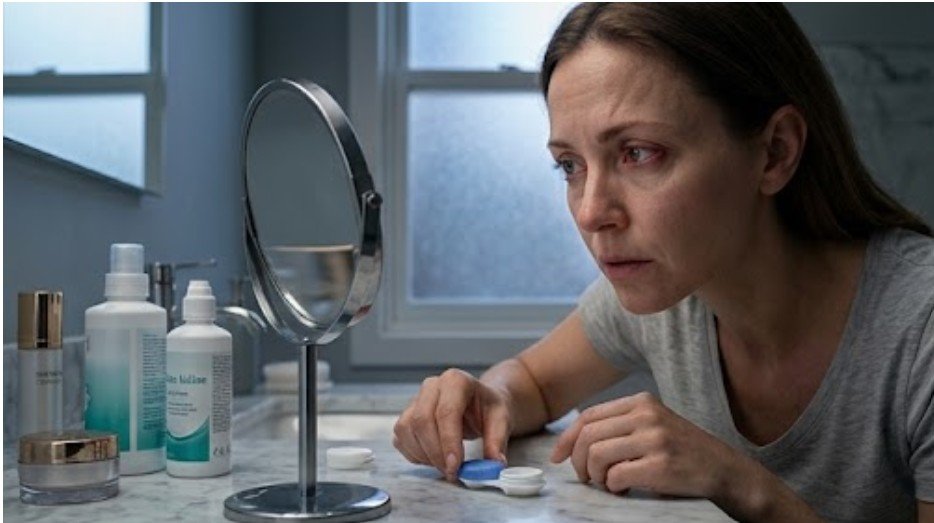

Dry, gritty contact lenses can turn a productive workday into a cycle of blinking and struggling to refocus. Intense digital work can cut the normal blink rate by about half, while incomplete blinks fail to spread a fresh tear layer over the entire lens.
Because contacts sit within the tear film, reduced lubrication can make their surface less stable and temporarily affect clarity, causing burning, irritation, or blurry contacts after screen use.
When I explain how to keep contacts moist during screen time, I focus on prevention. The best routine combines contact-lens-safe drops, complete blinking, sensible monitor placement, humidity control, proper hydration, and a lens type that suits the wearer.
What Should I Do When My Contacts Feel Dry at a Computer?
Start with several slow, complete blinks. Gently close both eyes for about one second, let the lids meet without squeezing hard, and reopen them. This helps spread the tear film across the contact lens. Repeat the movement during every screen break, especially during intensive screen work.
Use only drops labeled “for use with contact lenses,” “contact lens safe,” or “rewetting drops.” Standard redness-relief or medicated drops may not be approved for use over lenses and can irritate the eyes or affect the lens. The FDA advises wearers to use the lens solutions and eye drops recommended by their eye-care professional.
I prefer to apply an approved rewetting drop before a long screen session instead of waiting for burning. When drops are needed more than four times daily, eye specialists often recommend a preservative-free option. Single-use vials can reduce contamination risk, but clean hands and a bottle tip that never touches the eye, lashes, or fingers remain essential.
If comfort does not return after blinking and using approved drops, remove the lenses with clean, dry hands and switch to glasses. When a dehydrated lens feels difficult to move, following safe guidance on how to remove a contact lens stuck in your eye can help prevent forceful pinching, rubbing, or accidental injury to the eye surface.
How Does the 20-20-20 Rule Help Contact-Lens Dryness?

Every 20 minutes, look at something at least 20 feet away for 20 seconds. Use that pause for three or four complete blinks. The distance break relaxes near-focusing effort, while deliberate blinking refreshes the tear layer.
If comfort does not return after blinking and using approved drops, remove the lenses with clean, dry hands and switch to glasses. Continuing to wear a dry, painful lens can worsen irritation.
What Is the Best Monitor Position for Dry Eyes and Contacts?
Keep the screen about an arm’s length away, with the top of the display at or slightly below eye level. A gentle downward gaze reduces the exposed eye surface and may slow tear evaporation. Computer-related dryness is also associated with reduced blinking, high gaze angles, glare, small fonts, and dry office air.
Increase text size, match screen brightness to the room, and reduce window reflections. These changes may not add moisture directly, but they reduce visual strain and the hard staring that encourages incomplete blinking.
Can Air Conditioning Make Contacts Dry Out Faster?

Yes. Direct airflow from fans, heaters, and air-conditioning vents can accelerate tear evaporation. Redirect the vent, move the fan away from your face, or shift the workstation.
In dry US offices and heated winter homes, a clean humidifier may improve comfort. The National Eye Institute also recommends taking screen breaks, avoiding direct wind and air conditioning, using a humidifier, and drinking enough water.
Hydration supports normal fluid regulation and may help maintain a healthy eye pressure range, while dehydration may be associated with dry-eye problems. Still, water alone cannot correct a poor lens fit, excessive wearing time, or an unstable tear film.
Which Contact Lenses Work Better for Long Screen Days?
Ask an optometrist whether another material or replacement schedule might suit your eyes. Silicone hydrogel lenses provide higher oxygen transmission than traditional hydrogel designs, but research does not show that one material guarantees better comfort for everyone.
Water-gradient lenses are another option. Some studies suggest that their highly wettable surfaces can improve tear-film stability, although comfort and dryness results still vary by wearer.
Daily disposable contacts can help people who struggle with deposits because each morning starts with a fresh lens. Reusable lenses may collect protein, lipid, and debris when overworn or cleaned incorrectly, reducing surface wettability and comfort.
However, daily disposable lenses do not automatically contain more water or solve digital eye strain. Lens fit, surface design, tear quality, prescription, cleaning habits, and total wearing time all matter.
For heavy writing or data-entry days, I keep prescription glasses nearby. Some people benefit from computer glasses designed for an intermediate viewing distance, but backup glasses can also give the tear film a break.
When Should I Remove Dry Contacts and Call an Eye Doctor?

Remove the lenses promptly if you develop pain, marked redness, discharge, strong light sensitivity, unusual tearing, a persistent foreign-body sensation, or a noticeable vision change.
When one contact lens hurts while the other remains comfortable, the cause may be trapped debris, a torn or inside-out lens, uneven dryness, poor fit, or an injury to the eye surface. Remove the painful lens and avoid reinserting it if discomfort, redness, or blurred vision continues.
Contact-lens complications can progress quickly, so do not repeatedly add drops and continue wearing a painful lens. The FDA advises wearers to seek professional help when they experience possible irritation or infection symptoms.
Frequently Asked Questions
1. Why Do My Contacts Get Blurry After Looking at a Screen?
The tear film may break up between infrequent or incomplete blinks, creating an uneven optical surface over the lens. Complete blinking and approved rewetting drops may restore temporary clarity. Persistent or one-sided blur needs an eye examination.
2. Can I Use Regular Artificial Tears With Contacts In?
Only when the label says the product is compatible with your contacts or your eye doctor recommends it. Some artificial tears require lens removal before use, while rewetting drops are specifically formulated for use with lenses.
3. Do Blue-Light Glasses Keep Contact Lenses Moist?
No. Blue-light filtering does not directly lubricate a contact lens. Blink breaks, approved drops, lower screen placement, reduced airflow, and shorter lens-wearing time address dryness more directly.
4. Is Daily Contact-Lens Dryness Normal?
Daily discomfort is common, but it should not be ignored. It may signal an unsuitable lens, deposit buildup, dry-eye disease, long wearing time, medication effects, or a fitting problem. Contact-lens wear and extended digital-device use are both recognized dry-eye risk factors.
Final Thoughts
My most reliable approach to how to keep contacts moist during screen time is simple: lubricate early with approved drops, blink completely, lower the monitor, control dry airflow, and stop wearing lenses when comfort does not return.
If dryness occurs every day, an optometrist can reassess the lens material, fit, replacement schedule, and tear film instead of asking you to tolerate the problem.